
On-Page SEO Checklist: How to Rank on Google in 2026
Ranking on Google is no longer about stuffing keywords into your content. In 2026, search engines prioritize helpful, well-structured, and user-focused content. A strong On-Page SEO strategy helps search engines understand your pages while giving visitors a better experience.
Whether you’re a beginner or an experienced blogger, this complete On-Page SEO checklist will help you optimize your website and improve your chances of ranking higher in search results.
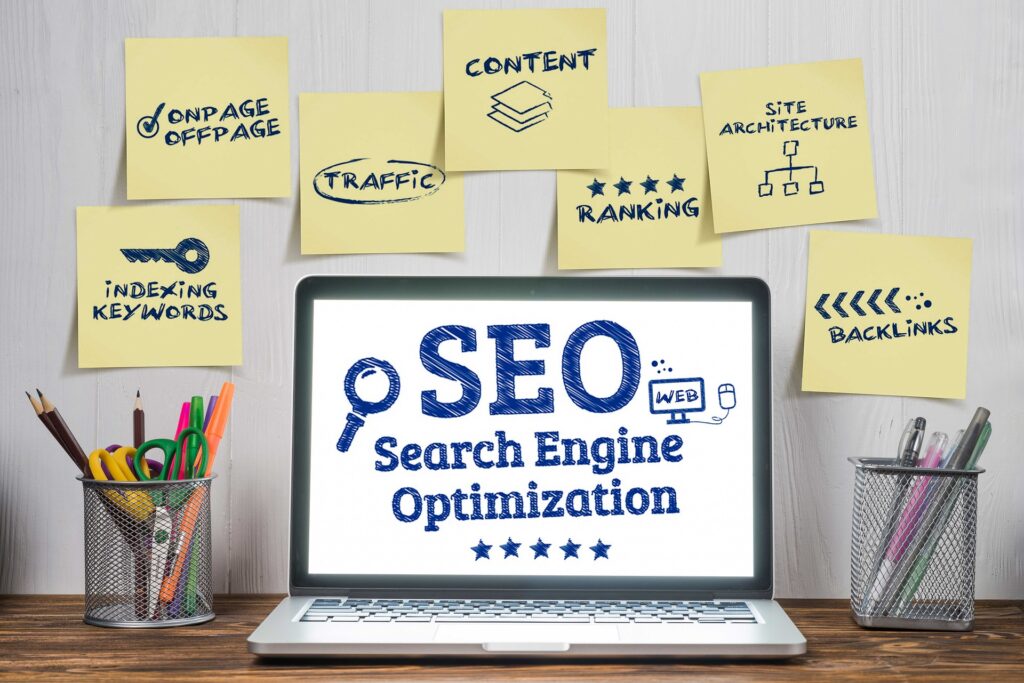
What is On-Page SEO?
On-Page SEO is the process of optimizing the content and HTML elements of your website to improve its visibility in search engines. Unlike Off-Page SEO, which focuses on backlinks, On-Page SEO is entirely under your control.
It includes:
- Keyword optimization
- Content quality
- Title tags
- Meta descriptions
- URL structure
- Internal linking
- Image optimization
- Page speed
- User experience
Why On-Page SEO Matters
A well-optimized page can:
- Improve Google rankings
- Increase organic traffic
- Reduce bounce rate
- Enhance user experience
- Improve click-through rates (CTR)
- Increase conversions
Complete On-Page SEO Checklist
1. Start with Keyword Research
Before writing your article, find a keyword that people are actively searching for.
Example
Primary Keyword
On-Page SEO ChecklistSecondary Keywords
- On-Page SEO
- SEO Checklist
- SEO Tips
- Google Ranking
- SEO Optimization
Tips
- Choose keywords with good search volume.
- Understand the search intent.
- Target one primary keyword per article.
2. Write an SEO-Friendly Title
Your title is one of the most important ranking factors.
Good Example
On-Page SEO Checklist: How to Rank on Google in 2026Tips
- Keep it under 60 characters if possible.
- Include your primary keyword.
- Make it compelling and clear.
3. Optimize the Meta Description
A strong meta description can improve your click-through rate.
Example
Learn the complete On-Page SEO checklist for 2026 and discover practical tips to optimize your content, improve Google rankings, and increase organic traffic.Best Practices
- 140–160 characters
- Include your primary keyword naturally
- Encourage users to click
4. Use a Clean URL Structure
Keep URLs short, descriptive, and readable.
Good URL
https://neotechzone.in/on-page-seo-checklistAvoid
https://neotechzone.in/post?id=123455. Use Proper Heading Structure
Organize your content with headings.
Example:
H1 - On-Page SEO Checklist

H2 - What is On-Page SEO?

H2 - Keyword Research

H3 - Keyword Placement

H2 - Internal Linking

H2 - FAQs
Use only one H1 per page.
6. Create High-Quality Content
Google rewards content that is:
- Helpful
- Original
- Accurate
- Easy to understand
- Updated regularly
Instead of writing for search engines, write for your audience.
7. Place Keywords Naturally
Include your primary keyword in:
- Title
- First paragraph
- One or two H2 headings
- Meta description
- URL
- Image alt text (where relevant)
- Conclusion
Avoid keyword stuffing.
8. Write an Engaging Introduction
The first paragraph should explain what readers will learn.
Example:
If you want to rank higher on Google in 2026, mastering On-Page SEO is essential. This guide will show you the most effective techniques to optimize your website and improve your search visibility.9. Optimize Images
Images improve user engagement, but they should also be optimized.
Checklist
- Compress images
- Use descriptive file names
- Add alt text
- Use modern formats like WebP when supported
- Avoid oversized images
Example filename:
on-page-seo-checklist.webp10. Add Internal Links
Internal links help visitors explore your website and help search engines understand your content.
Example internal links for NeoTechZone:
- Complete SEO Guide for Beginners
- How to Create a WordPress Website
- Top 20 AI Tools You Must Try in 2026
11. Link to Trusted Sources
External links can provide additional value to readers.
Only link to reliable and authoritative websites when they genuinely help explain a topic.
12. Improve Readability
Make your content easy to read.
Tips:
- Use short paragraphs
- Add bullet points
- Use headings
- Highlight important ideas
- Include examples
Good readability keeps users engaged.
13. Optimize for Mobile Devices
Most visitors browse on smartphones.
Ensure:
- Responsive design
- Readable fonts
- Clickable buttons
- Proper spacing
- Fast loading
14. Improve Page Speed
Fast websites provide a better user experience.
Speed optimization tips:
- Compress images
- Enable caching
- Minify CSS and JavaScript
- Remove unused plugins
- Use lightweight themes
15. Add Schema Markup
Schema helps search engines better understand your content.
Useful schema types:
- Article
- FAQ
- Breadcrumb
- Organization
Schema may improve how your pages appear in search results.
16. Write a Strong Conclusion
Summarize your key points and encourage readers to take action.
Example:
Following this On-Page SEO checklist will help you build a stronger foundation for long-term organic growth. Focus on creating helpful content, improving user experience, and optimizing every page consistently.17. Add FAQs
Frequently Asked Questions can improve user experience and may help your content appear in rich search results.
Example:
What is On-Page SEO?
On-Page SEO is the process of optimizing individual web pages to improve rankings and attract organic traffic.
How often should I update my content?
Review and update important articles every few months or whenever significant changes occur in your topic.
Is On-Page SEO enough to rank on Google?
On-Page SEO is essential, but rankings also depend on content quality, website authority, technical SEO, and backlinks.
Common On-Page SEO Mistakes
Avoid these mistakes:
- Keyword stuffing
- Duplicate content
- Missing meta descriptions
- Broken internal links
- Slow page speed
- Poor mobile experience
- Missing image alt text
- Thin or low-quality content
On-Page SEO Checklist Summary
Before publishing, confirm that you’ve completed the following:
- Keyword research completed
- SEO-friendly title written
- Meta description added
- Clean URL created
- One H1 heading used
- Proper H2 and H3 headings
- High-quality content published
- Keywords placed naturally
- Images optimized
- Internal links added
- External references included (when useful)
- Mobile-friendly layout
- Fast page speed
- Strong conclusion
- FAQ section included
Final Thoughts
On-Page SEO is one of the most effective ways to improve your website’s visibility in Google Search. While algorithms continue to evolve, the fundamentals remain the same: create valuable content, organize it well, optimize your pages thoughtfully, and provide a great experience for your visitors.
Remember that SEO is a long-term investment. Consistently publishing helpful, well-optimized content will build trust with both your audience and search engines over time.
Frequently Asked Questions
How many keywords should I target in one article?
Focus on one primary keyword and naturally include a few closely related secondary keywords.
What is the ideal blog post length?
There’s no fixed length. Write enough to answer the user’s question thoroughly. Comprehensive, high-quality content often performs better than unnecessarily short articles.
Does page speed affect SEO?
Yes. Faster websites generally provide a better user experience, and page speed is an important factor in overall website performance.
Should I use AI to write SEO content?
AI can help with brainstorming, outlining, and drafting, but always review, edit, and add your own expertise to ensure accuracy, originality, and value.
How long does On-Page SEO take to show results?
SEO improvements often take weeks or months to have a noticeable impact, depending on your competition, website authority, and content quality.
SEO Keywords
- On-Page SEO Checklist
- On-Page SEO Guide
- How to Rank on Google
- SEO Checklist 2026
- SEO Tips for Beginners
- Google Ranking Guide
- SEO Optimization
- WordPress SEO
- Improve Google Rankings
- SEO Best Practices
Suggested Internal Links for NeoTechZone
- Complete SEO Guide for Beginners
- How to Create a WordPress Website (Beginner Guide)
- Top 20 AI Tools You Must Try in 2026
- WordPress Speed Optimization Guide
- Best Free WordPress Plugins in 2026
This article is designed as a pillar SEO guide that is easy to read, optimized for WordPress, and suitable for long-term organic traffic on NeoTechZone.